
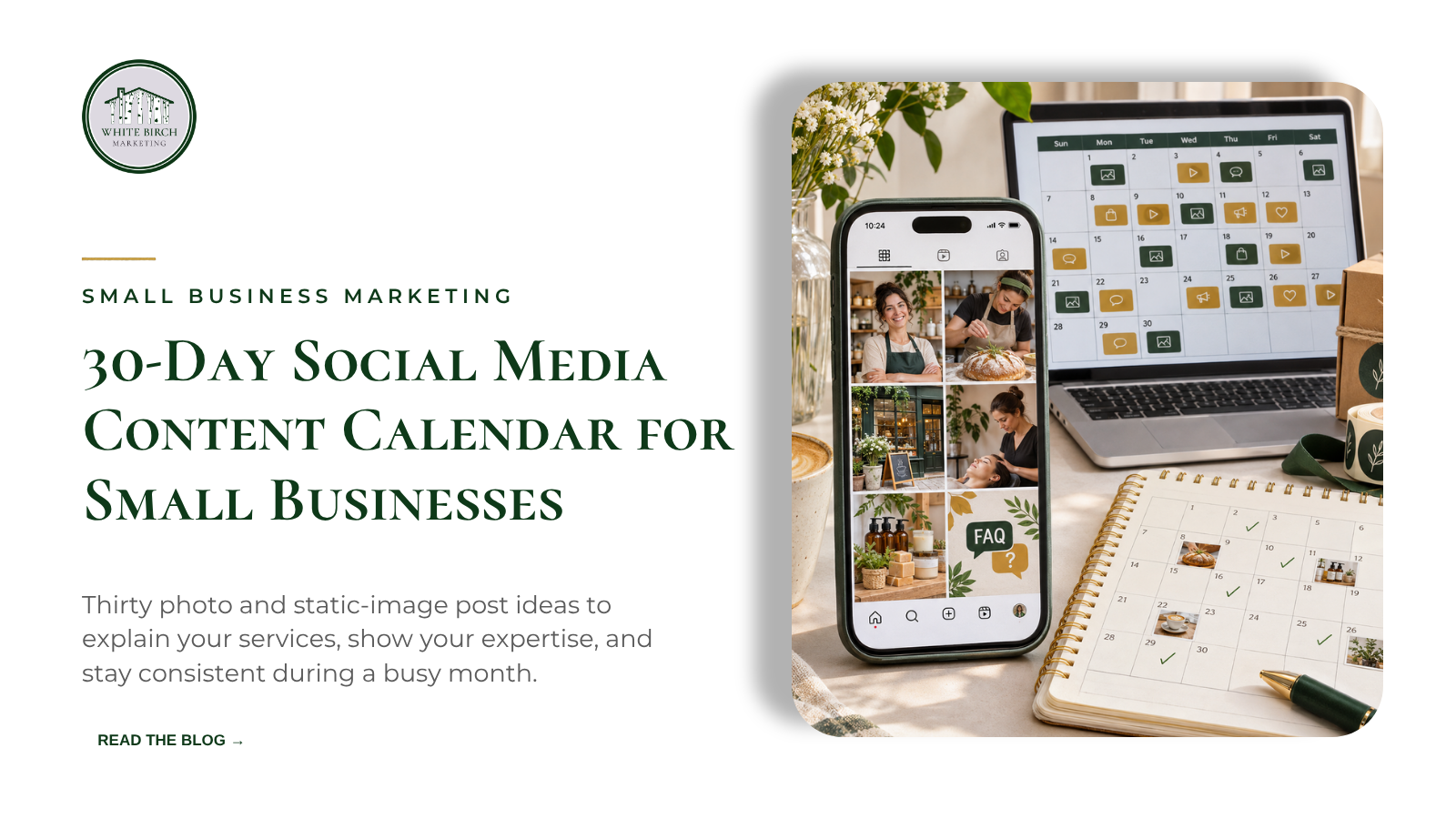
30-Day Social Media Content Calendar for Small Businesses
SARAH'S QUICK ANSWER
What should a small business post on social media for 30 days?
Plan one useful photo or static-image post each day. Rotate customer questions, service explanations, your process, real examples, and the people behind the business. Give every post a clear message and one next step. A small business social media content calendar should help people understand what you offer while making daily publishing easier to manage.
I’m Sarah Anstey, owner of White Birch Marketing. I help small business owners build a clearer, more consistent social media presence. This is the kind of calendar I would start with when you have plenty to say about your business, but very little interest in deciding what to post while eating lunch over your keyboard.
Below are 30 single-photo or static-image post ideas with image directions, hooks, caption examples, and CTAs. No Reels. No carousels. No requirement to become a different person who suddenly enjoys filming themselves in the parking lot.
The guidance is in my voice. The caption examples are for you to adapt to your own business. Replace bracketed prompts, keep only truthful statements, and adjust each idea to the service or product you actually sell.
How to turn this calendar into demand for your services
A customer might discover your business before they are ready to buy. I want your posts to give that person something useful to understand: the problem you address, how your offer works, what it involves, and why your approach could fit.
That is the job of the content mix below. You explain and demonstrate throughout the month, then make relevant invitations. People have more context for deciding whether to reach out.
Daily posting gives us a working rhythm, not a guarantee of reach, inquiries, or sales. The content still needs to be relevant, accurate, recognizable, and connected to a sensible next step. Publishing thirty variations of “We offer great service” would be consistent. It would also leave quite a few questions unanswered.
If you want that planning and publishing work handled, explore our social media management for small businesses. We support owners nationwide through remote collaboration, with the agreed scope shaped around the work you need.
How to use the calendar for your type of small business
Start on any date. The days below are an adaptable sequence rather than a list of holidays. Choose a main offer and audience before you begin, then replace general examples with your actual work.
For service businesses: show preparation, explain scope, answer booking questions, and demonstrate completed work with permission.
For shops and product businesses: show the product in use, explain specifications, share accurate care information, and make the purchase path clear.
For solo and remote businesses: show your perspective, explain the collaboration process, and tell people what information they need to bring.
The business examples are teaching examples, not claims about White Birch clients or results. Use approved original media, remove private details, and only share reviews you are authorized to publish. If you lack a review or project photo, replace that day with a customer question.
On Facebook or LinkedIn, use a relevant clickable website link when the post needs one. For an Instagram feed caption, direct people to a clearly labeled profile link rather than assuming the caption URL will be clickable. Choose one primary action for each post.
Your 30-day small business content plan at a glance
I would give the month a progression: explain the business, make the work tangible, help people compare their options, and show how to take the next step.
A practical structure for daily small business photo and image posts
Days | Focus | Useful customer question |
|---|---|---|
1 to 7 | Introduce and explain | What do you offer and how do I get started? |
8 to 14 | Show the people and the work | What goes into the service or product? |
15 to 21 | Clarify the choice | What is included and which option fits? |
22 to 28 | Make the experience understandable | What happens before, during, and after? |
29 to 30 | Summarize and invite | What should I do next? |
Days 1 to 7 Explain the business and make the first step clear
Day 1: Introduce the person behind the business
Photo or image idea: A current owner portrait in the actual workspace. Keep one clear headline beside the photo.
Hook: Before we talk about what I sell, here is who you are working with.
Caption example to adapt: I’m [name], the person behind [business]. I help [customers you actually serve] with [specific service or product]. My approach is [one truthful detail]. This month, I’ll share more about the work, the process, and the questions worth asking before you book or buy.
CTA: What would you like to know about the business?
Day 2: Explain one service clearly
Photo or image idea: One original photo of a service being performed, with the service name in large, readable type.
Hook: What does this service actually include?
Caption example to adapt: A cleaning company could write: “Our move-out cleaning covers [actual inclusions]. These are the areas we focus on, what you need to do before we arrive, and which tasks need a separate quote.” Replace broad claims about quality with a clear description of the work.
CTA: Read the full service details through the relevant website link.
Day 3: Answer a question customers ask
Photo or image idea: A single question-and-answer graphic using a genuine inquiry, rewritten without identifying the customer.
Hook: A question worth answering before you book.
Caption example to adapt: A salon could explain: “How should I prepare for my color consultation? Bring photos that help explain your goal and be ready to discuss your hair history. We’ll review the options during the appointment.” Use the preparation advice your business actually gives.
CTA: Save this before your next appointment.
Day 4: Show a small part of the process
Photo or image idea: One close-up of real tools, preparation, or an in-progress task. No private customer information.
Hook: The part of the job you don’t usually see.
Caption example to adapt: Before we begin [service], we [actual preparation step]. Here is what we check and why it matters to the work. It might not be the most glamorous photo in your feed, but it helps you understand what happens before the finished result.
CTA: What part of the process would you like to see next?
Day 5: Explain who an offer is for
Photo or image idea: An approved service or product photo with a short “A good fit when…” headline.
Hook: Is this the right option for you?
Caption example to adapt: Our [offer] is designed for people who need [specific use or problem]. It includes [key scope] and works differently from [another genuine option]. If you are unsure which one fits, tell us what you are trying to accomplish and we can explain the choices.
CTA: Ask a question about which option fits your needs.
Day 6: Share a useful preparation checklist
Photo or image idea: One simple graphic with three practical steps that match your actual process.
Hook: Before your appointment, do these three things.
Caption example to adapt: To prepare for [service], please [step one], [step two], and [step three]. These details help us arrive with the information we need and make the most of the appointment. You can find the complete instructions in [the actual booking or service information].
CTA: Save this checklist for your appointment.
Day 7: Make the next step easy
Photo or image idea: A photo of the actual storefront, booking page, or owner. Hide private details on any screen.
Hook: Ready to ask about working together? Start here.
Caption example to adapt: To inquire about [service], use [your actual contact method]. We’ll ask about [relevant information] and explain the next step. You do not need to guess which package to choose before getting in touch. Here is what helps us prepare: [brief list].
CTA: Use the clearly labeled service or inquiry link.
Days 8 to 14 Show the people and the work
Day 8: Introduce a team member or role
Photo or image idea: A team member’s approved portrait, or a solo owner performing one of their real roles.
Hook: Meet the person who handles this part of the work.
Caption example to adapt: [Name] handles [actual responsibilities]. One thing they want customers to know is [their approved explanation]. If you run the business alone, explain this part of your own role instead. There is no requirement to invent a department because the internet enjoys an organizational chart.
CTA: What would you like to know about this part of the service?
Day 9: Answer a cost question without guessing
Photo or image idea: A clean graphic listing real quote factors, such as scope, quantity, materials, or appointment length.
Hook: Why does the price vary?
Caption example to adapt: For our [service], the quote depends on [actual factors]. To give you useful information, we need [what you genuinely request]. We’ll explain the scope and price before you decide. If you publish a starting price, state what it includes and any conditions clearly.
CTA: Send the information listed on our quote request page.
Day 10: Show a product or service in use
Photo or image idea: One original photo demonstrating an actual function, with permission from anyone shown.
Hook: Here is what this looks like in everyday use.
Caption example to adapt: A local shop could show a bag’s interior and write: “Here is how the compartments are arranged and what fits inside. The dimensions and materials are listed on the product page.” Focus on observable details rather than making a promise you cannot demonstrate.
CTA: View the product or service specifications.
Day 11: Clear up a misconception
Photo or image idea: One short myth-and-explanation graphic. Choose a misconception customers actually mention.
Hook: One assumption I would check before choosing this service.
Caption example to adapt: I sometimes hear [a genuine assumption]. The useful answer depends on [relevant factors]. Here is how our business handles it: [accurate explanation]. If your situation is different, ask before assuming the same answer applies. We would rather explain it now than leave you guessing.
CTA: What assumption should we explain next?
Day 12: Show how you choose materials or tools
Photo or image idea: A detail photo of actual materials, equipment, or ingredients. Avoid unsupported safety or performance claims.
Hook: Why we use this for this job.
Caption example to adapt: A baker could explain why a particular ingredient is used in a specific recipe, including accurate ingredient or allergen information where relevant. A service business could explain the tool chosen for a task. Keep the post about your actual process and verifiable details.
CTA: Ask us about the materials used in the option you are considering.
Day 13: Share a customer review with context
Photo or image idea: A genuine review graphic using the exact approved words and appropriate attribution.
Hook: A customer’s words, with a little context.
Caption example to adapt: “[Exact approved review excerpt.]” This review relates to our [service]. Here is one part of the experience someone considering that service may want to understand: [truthful explanation]. Do not fill this slot with a made-up review. If you have none available, answer another customer question.
CTA: Read how the service works on our website.
Day 14: Share your point of view
Photo or image idea: A different owner photo in a natural work setting, with a brief headline.
Hook: One thing I want customers to understand before we start.
Caption example to adapt: When you work with us, [a truthful principle] means [how it changes the process]. For example, we [specific action]. I want you to know what that looks like in practice before deciding whether our approach fits what you need.
CTA: What matters most to you when choosing a business like ours?
Days 15 to 21 Help customers choose with clearer information
Day 15: Explain what is included and what is separate
Photo or image idea: One two-column graphic with a few accurate inclusions and exclusions.
Hook: Let’s make the scope clear.
Caption example to adapt: Our [service] includes [actual scope]. [Separate work] is quoted or booked separately. If you need both, let us know when you inquire so we can explain the options. Clear expectations make it easier to choose the right support and prepare for the work.
CTA: Check the complete scope on the service page.
Day 16: Show a real result without stretching it
Photo or image idea: An approved finished-work photo. If using before and after, combine accurate, comparable views in one image.
Hook: Here is the work, and here is what changed.
Caption example to adapt: For this [approved project], the agreed work was [scope]. We completed [verifiable work shown]. Here is a detail you can see in the photo: [observable detail]. Share the facts and permissioned context without claiming every customer will receive an identical outcome.
CTA: Ask about a project with a similar scope.
Day 17: Explain the first conversation
Photo or image idea: A workspace photo with a blank planning sheet. Do not show a real customer’s paperwork.
Hook: What happens when you first contact us?
Caption example to adapt: Our first conversation covers [your actual questions]. We’ll discuss the service, what information is needed, and the next step. You can bring questions about fit, timing, and scope before making a decision. Here is what you do not need to have figured out yet: [truthful detail].
CTA: Use our inquiry link to tell us what you need.
Day 18: Help someone compare two options
Photo or image idea: One side-by-side graphic using genuine options from the business.
Hook: Which option makes more sense for your situation?
Caption example to adapt: A photographer could compare headshots with a branding session by explaining the actual differences in purpose, preparation, and deliverables. A shop could compare two products by size or function. Explain the tradeoffs so the reader can choose, rather than announcing that the most expensive option wins.
CTA: Read the comparison or ask a fit question.
Day 19: Answer a timing question
Photo or image idea: One calendar-style graphic with accurate process stages. No invented availability.
Hook: How far ahead should you contact us?
Caption example to adapt: For [service], planning depends on [real factors]. Check our current availability through [actual source]. If you have a deadline, tell us when you inquire so we can explain what is realistic. We will confirm arrangements directly rather than treating an old social post as a booking guarantee.
CTA: Check current availability through our booking or inquiry link.
Day 20: Show how you handle a common request
Photo or image idea: One real work photo paired with a short customer question.
Hook: Can you customize this?
Caption example to adapt: Here is how we handle requests for [actual customization]. We need [information], and we will confirm [scope, price, or feasibility] before work begins. If an option is not available, we will say so. Choose a request your business genuinely receives and can answer clearly.
CTA: Tell us the specific detail you would like to customize.
Day 21: Share a practical resource
Photo or image idea: An original photo of the resource or a clean single-image checklist.
Hook: A useful thing to keep before you need it.
Caption example to adapt: We created [an actual checklist, care guide, or preparation resource] to help with [specific task]. It covers [accurate contents]. If you do not have a resource ready, share three useful tips directly in the caption instead of inviting people to request something that does not exist.
CTA: Save the tips or visit the existing resource.
Days 22 to 28 Explain the working experience
Day 22: Explain aftercare or next steps
Photo or image idea: One product, finished-work, or instruction photo with three accurate reminders.
Hook: What happens after the appointment or purchase?
Caption example to adapt: After [service or purchase], follow [your actual instructions]. Here is where to find the full guidance and how to contact us if a question comes up. Keep instructions specific to your offer and refer to the appropriate professional or manufacturer where needed.
CTA: Save the instructions or bookmark the existing guide.
Day 23: Show how the business stays organized
Photo or image idea: A real planner, labeled supplies, or prepared workspace with sensitive details removed.
Hook: The little system behind a smoother workday.
Caption example to adapt: To prepare for [task], we organize [actual materials or information] in this way. It helps us track [what the system actually tracks]. This is a useful chance to show how the work gets done without turning a private customer file into social media content.
CTA: What behind-the-scenes task should we explain next?
Day 24: Respond to an objection honestly
Photo or image idea: An owner photo with the customer’s general concern as the headline.
Hook: “I’m not sure I need the full service.” Fair question.
Caption example to adapt: Start with the work you actually need. Our [smaller option] covers [scope], while [larger option] includes [different scope]. If your business has only one offer, explain who it suits and when it may not be the right fit. Helpful guidance is more useful than a forced upgrade.
CTA: Ask which scope fits your situation.
Day 25: Revisit a service from a new angle
Photo or image idea: A fresh image of an existing service, focused on one different detail.
Hook: Here is a part of this service worth understanding.
Caption example to adapt: Earlier this month, we explained what [service] includes. Today, let’s look at [one specific step or feature]. Here is what happens, what we need from you, and where to find more information. The service can appear again without repeating the same caption word for word.
CTA: Visit the relevant service page for the full explanation.
Day 26: Share what you need from the customer
Photo or image idea: One simple “What to send us” graphic with accurate requirements.
Hook: Want a useful answer? Send us these details.
Caption example to adapt: For a [quote, appointment, or project] inquiry, please include [the information you actually need]. Avoid sending sensitive information through public comments. These details help us understand the request and explain the next step. We’ll tell you if anything else is needed.
CTA: Use our designated inquiry form to send those details.
Day 27: Highlight your local connection or remote process
Photo or image idea: An original local business photo, or the owner at a tidy remote workspace.
Hook: Here is how we work with customers where they are.
Caption example to adapt: A local business can explain its actual service area, location, and access details. A remote business can explain how information and feedback are exchanged. State the practical arrangements people need to know instead of adding locations you do not serve.
CTA: Check our actual service area or remote process details.
Day 28: Show the owner learning or planning
Photo or image idea: A natural owner photo reviewing nonconfidential notes or preparing the workspace.
Hook: A business decision I am thinking through.
Caption example to adapt: I’m reviewing [a real, nonconfidential topic] because [truthful reason]. Here is one question I am considering and how it relates to the service customers receive. Keep this grounded in something you actually do. You do not need to manufacture a dramatic founder story for Tuesday.
CTA: What would make this part of the experience clearer for you?
Days 29 and 30 Summarize and make a relevant invitation
Day 29: Round up the most useful answers
Photo or image idea: One static graphic with three short question headings from earlier posts.
Hook: Three questions worth answering before you book.
Caption example to adapt: Before choosing [service], understand [question one], [question two], and [question three]. We have explained these throughout the month. Here is the short version: [accurate concise answers]. You can also find the full service details through the relevant website page.
CTA: Save this summary for when you are comparing options.
Day 30: Invite a relevant next step
Photo or image idea: A warm owner portrait, service image, or storefront photo with one clear invitation.
Hook: If this sounds like the help you need, here is where to start.
Caption example to adapt: If you need [actual service], we can discuss [the appropriate first step]. Tell us what you are trying to accomplish and any relevant timing. We’ll explain the scope, what we need from you, and how to move forward if it fits.
CTA: Book, inquire, or shop through the single relevant link.
How I would prepare a month of posts in manageable batches
Make a simple planning sheet with a row for each day. Include the date, audience, topic, image, caption, CTA, destination link, approval status, and scheduled status. Keep the information together so you are not hunting through three apps to discover which caption goes with the photo of the thing.
Collect your ingredients. Gather approved owner and team photos, service or product images, current offer details, and the questions customers actually ask. Mark anything that still needs permission or a fact check.
Write related posts together. Draft several service explanations, then customer questions, then process posts. You can stay with one kind of thinking for a while rather than switching topics thirty times.
Match each image to the message. Show the feature or process being discussed. A lovely photo of a latte does not explain your entire service menu. I have checked.
Review before scheduling. Confirm scope, prices if included, availability, links, permissions, and readability on a phone. Replace every bracketed prompt.
Keep a flexible slot. Prepare a few evergreen questions you can use if an offer changes or a planned image is unavailable.
Assign the response. Decide who checks comments, messages, and inquiry forms. Publishing and handling incoming inquiries need clear owners.
My take: A calendar filled with topics is a start. A calendar with approved images, finished captions, and a publishing plan is much closer to getting your evenings back.
How to keep daily content from feeling repetitive
Repeat your core services through different useful angles. One service can become a scope explanation, preparation checklist, process photo, comparison, customer question, and next-step invitation. Each post gives the reader something different to understand.
Keep your voice and visual identity recognizable while varying the photo and the point of the post. Use different approved images rather than recycling the same owner portrait every other day. If you reuse an underlying idea across platforms, adapt the caption and CTA to the destination.
You can also use existing articles as source material. Our guide to hiring someone to do social media explains the difference between getting ideas and handing off the work. For a business’s own blog, take one useful answer from an article and link to the full explanation where appropriate. Do not paste a long article into every caption and call it a light read.
What I would measure after 30 days
Review relevant messages, useful questions, saves, profile visits, website visits, and bookings or purchases you can reasonably trace to the content. Look at which topics helped people understand an offer or take the next step.
A saved checklist and a service inquiry tell you different things. Use both as context. If people repeatedly ask what your service includes, make the scope clearer. If they click but do not inquire, review the destination page and whether the promised next step is easy to find.
Choose the next month’s topics using what you learn. You do not have to abandon your brand because Tuesday’s post was quiet. Social performance and Google search performance are different measurements, and daily posting alone cannot guarantee either.
Do you need content ideas or done-for-you social media support
If you have someone ready to personalize and publish, Content Club Plus is our DIY option with templates, captions, hashtags, and planning guidance. You handle the customization and posting.
If planning, writing, designing, and publishing keep slipping behind customer work, compare the small business social media management plans. The selected scope determines the platforms, content, strategy, and support. You still provide accurate business information, approved media, and feedback.
If your website, Google presence, or follow-up also needs attention, custom Enterprise marketing support starts with a Marketing Meeting and a tailored proposal. The services and setup are scoped individually.
For budgeting context, read how much social media management costs. Our working process explains the handoff. I want you to understand which tasks leave your calendar and which still need your input.
Frequently asked questions
What is a small business social media content calendar?
It is a schedule connecting each publishing date to an audience, topic, image, caption, CTA, and relevant destination. Adding review and scheduling status makes it a practical workflow rather than a folder of disconnected ideas.
Should a small business post every day?
Daily posting can be a useful working rhythm when the content is relevant, accurate, and manageable. This guide supplies one post idea per day. Review your audience response and business capacity rather than treating frequency as a guarantee of reach or sales.
Can I use this calendar without making Reels?
Yes. Every idea uses one photo or one static graphic. You can create a separate video plan later. You do not need to delay useful photo content while waiting to film.
What can I post when I have no new product or promotion?
Answer customer questions, explain a service, show preparation, introduce the people behind the work, or share a practical checklist. Existing offers have several useful angles beyond announcing that they are available.
Can the same calendar work for a service business and a shop?
Yes, with adaptation. A service business can explain scope and preparation; a shop can show product functions, specifications, and care. Use the same purpose for the day while changing the example and CTA to fit your offer.
Does Content Club Plus include publishing?
No. It is a DIY content option where you personalize and publish. Managed social media support covers the work in your selected plan. Compare the current small business options to decide which handoff suits you.
Can White Birch help a small business outside New Hampshire?
Yes. White Birch Marketing supports small businesses nationwide through remote collaboration. Your actual services, customer questions, approved images, and feedback help shape the content. Any on-location production needs a separate discussion.
Let’s give your next month a useful plan
Your business already gives you material worth explaining. A plan helps turn it into useful content consistently, even when your working day has very little interest in leaving room for Instagram.
If you want help with that work, book a small business consultation with me. We can discuss your audience, the tasks you want handled, and the support that fits.